
Documentation
Clear and structured guidance for LayerDynamics tools.
WC Category Accordion
Installation
Shortcode Usage
Widget Usage
Settings Overview
FAQ
Support
WC Category Accordion
Structured WooCommerce category navigation with flexible display options and style presets.
Installation
- Download the plugin ZIP.
- Go to WordPress → Plugins → Add New.
- Click Upload Plugin and select the ZIP file.
- Activate the plugin.
- Open the LayerDynamics settings page and choose your preferred preset and colors.
Shortcode Usage
Use the following shortcode in any page, post or widget area that supports shortcodes:
[wca_categories preset="boxed" show_count="true" hide_empty="true" max_depth="2"]Available Parameters
Parameters
preset
Choose the style preset.
Available values depend on your configuration (e.g., clean, boxed).
show_count
Display the number of products next to each category.
Values: true or false.
hide_empty
Hide categories that do not contain products.
Values: true or false.
max_depth
Limit how many subcategory levels are displayed.
Example: max_depth=”2″
include_ids
Display only specific category IDs.
Example: include_ids=”12,15,23″
exclude_ids
Exclude specific category IDs from the output.
Example: exclude_ids=”8,19″
Options
- show_count → Show or hide product counts.
- hide_empty → Hide empty categories.
- depth → Maximum depth of subcategories.
- preset → Choose a preset style (Clean / Boxed).
- use_global → Use global plugin settings.
Widget Usage
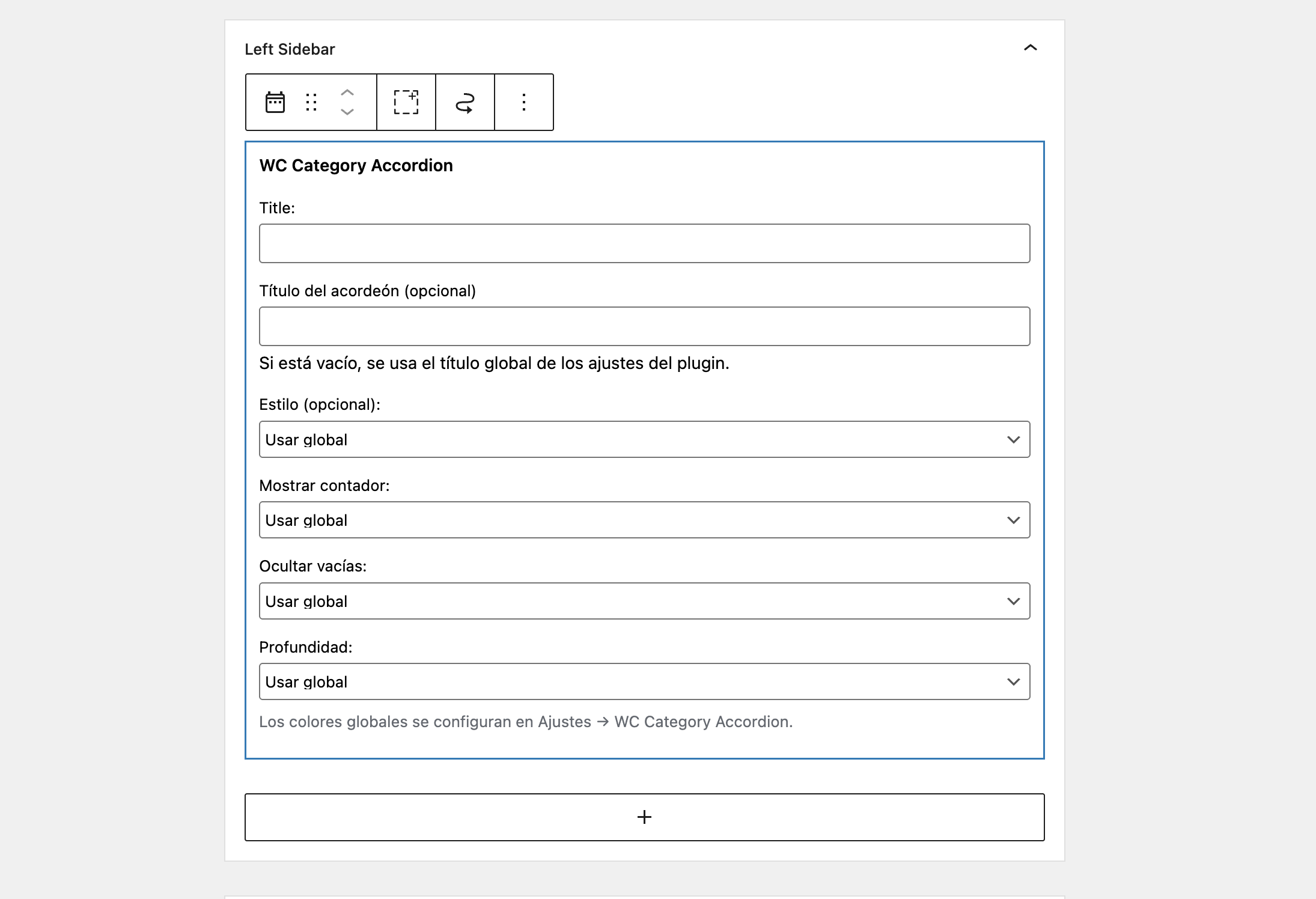
- Go to Appearance → Widgets.
- Add the “WC Category Accordion” widget to your sidebar.
- Configure widget options (these override global settings if set).
- Save and check the front-end.
Settings Overview
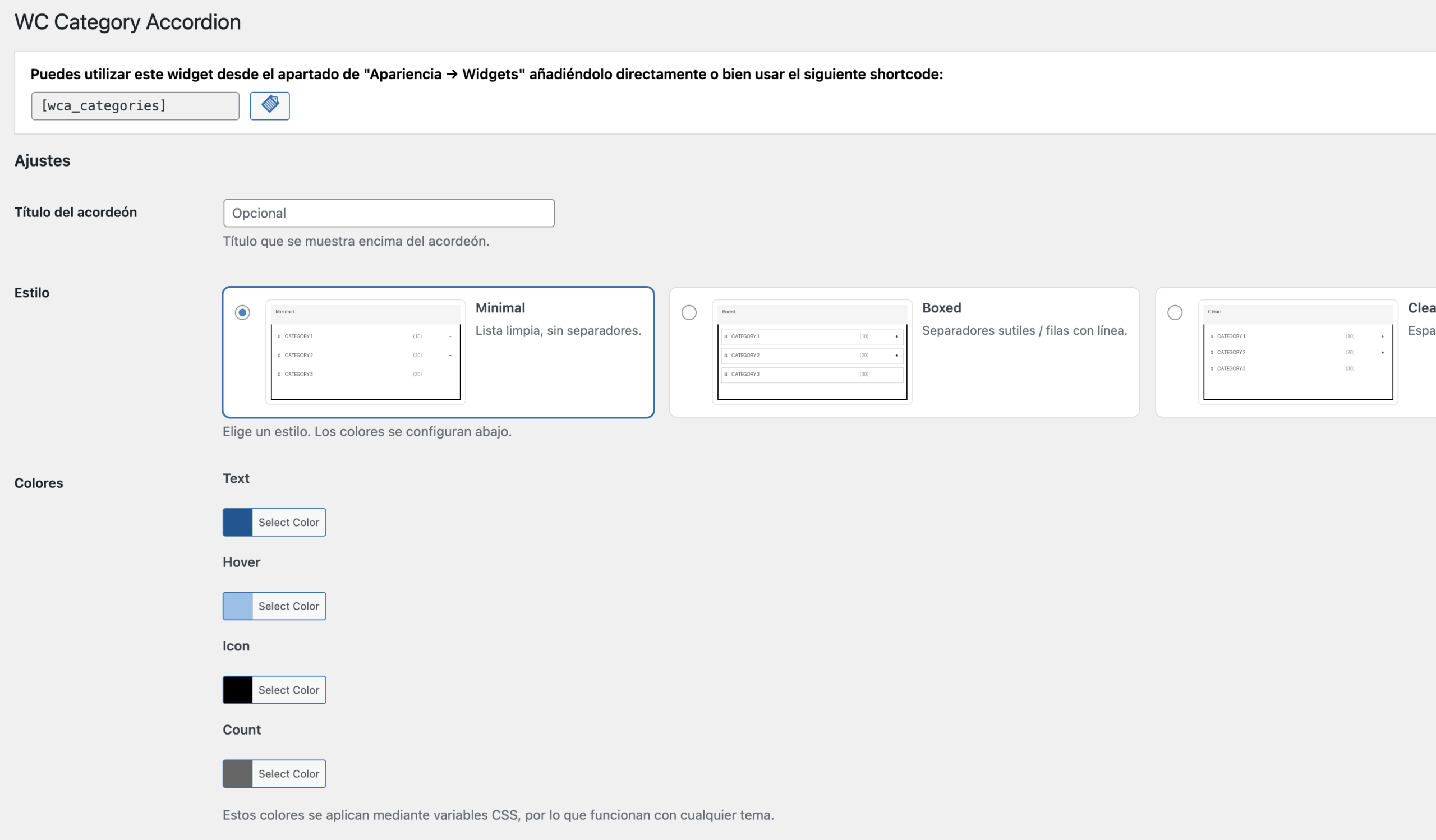
The plugin provides global settings that affect shortcode and widget output.
Style Preset
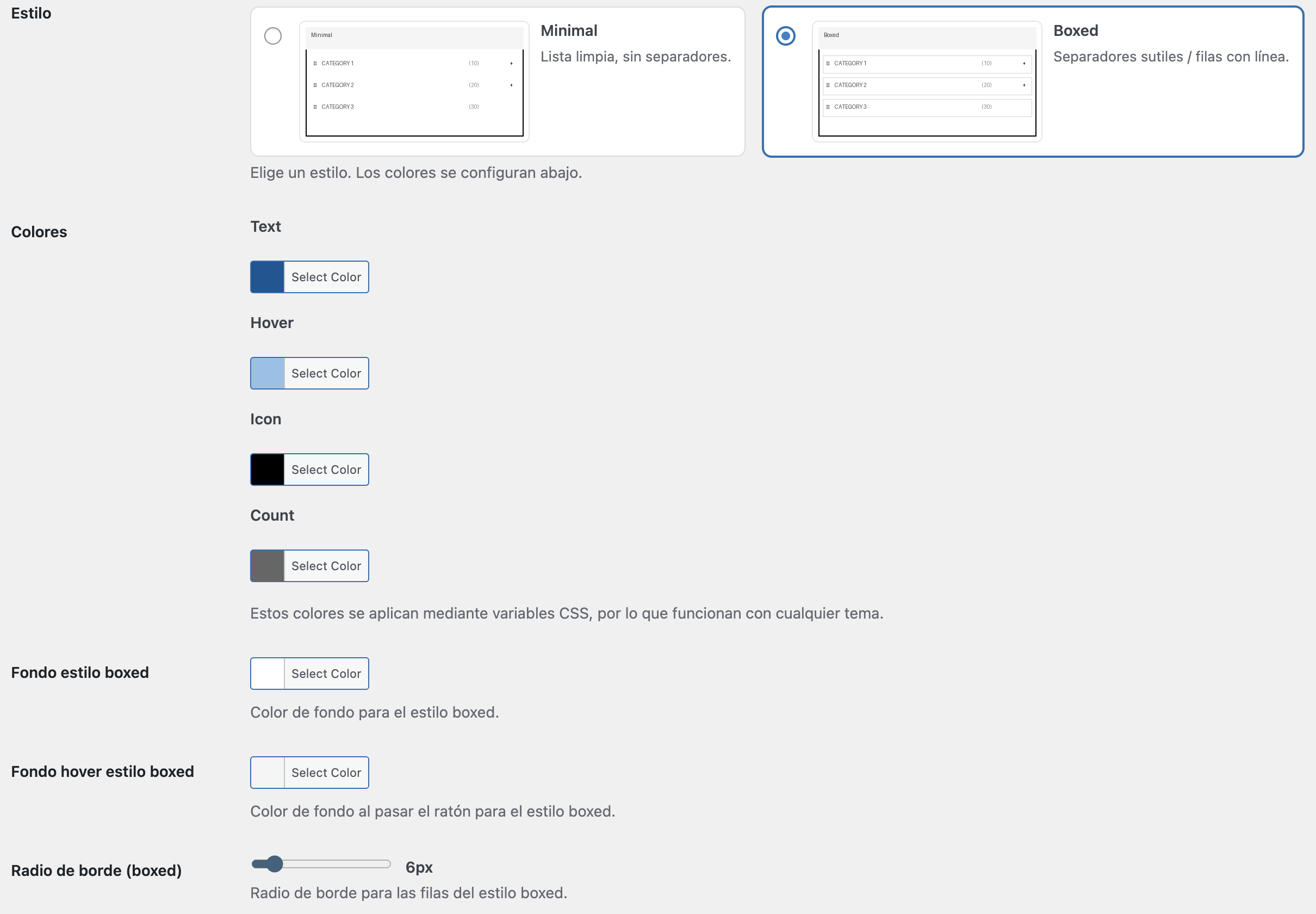
Select the visual style of the accordion (e.g., Clean or Boxed).
Show Product Count
Enable or disable the display of product counts next to categories.
Hide Empty Categories
Hide categories that do not contain products.
Maximum Depth
Define how many subcategory levels should be displayed.
Include IDs
Restrict the output to specific category IDs only.
Exclude IDs
Exclude specific category IDs from the output.
Note: Widget settings can override global settings for each widget instance.
FAQ
Why are some categories not showing?
If Hide empty is enabled, categories without products won’t display.
Does it support Polylang / WPML?
Yes. The plugin is compatible with common multilingual setups.
Can widget options differ from global settings?
Yes. Widget settings can override global settings per widget instance.
Support
For support inquiries, contact:
hello@layerdynamics.dev
Last updated: February 2026